
obsidian 自定义文件排序及 Vuepress 文件自动使用此排序
我的文档站点是通过 Vuepress 发布到线上的。平时管理和编辑笔记使用 Obsidian。
Obsidian 是默认使用文件名或创建时间排序,这个不能满足我日常整理文件时,对文件位置的要求。
Vuepress 官网提供是固定文件格式,我之前将它改写成了自动读文件层级生成侧边栏的方式了,但也是使用了文件默认排序的方式。
之前的一阵子是使用在文章标题前加了一个 数字_文章名称 的形式来保证文件的排序顺序,用了一阵子下来发现,改这文件名的方式不优雅:
- 文件名前带了个前缀不好看
- 改文件名需要将对应的双联改掉,容易错漏
本想着开发一个基于文件 front matter 的排序插件,但在 Obsidian 插件市场,看到 Custom File Explorer sorting 的插件有类似功能,觉得可行。该插件高级应用中有 Example 13: Sorting rules inheritance by subfolders 和 Example 14: Grouping and sorting by metadata value 这两个功能非常符合我的要求。有了这个排序需要用到生成文件时自动生成 sort ,这里当然就要使用 Template 这个强大的插件啦,template 内置函数没有统计文件数量的,自己写一个函数,调用即可。最后就是在发布 Vuepress 站点时自动使用这个 sort 进行生成侧边栏。详细操作如下逐步展示。
Custom File Explorer sorting 的使用
安装插件
第一步当然是安装插件啦:设置 -> 第三方插件 -> 社区插件市场 -> 浏览 -> 搜索:Custom File Explorer sorting -> 安装 -> 启用
使用插件
我的 Obsidian 仓库直接是我的 Vuepress 站点的 docs 文件夹。其中 Excalidraw 的文件夹、模版文件夹 template、不发布到站点的私有文件夹 private、Vuepress 需要的介绍页 intro.md、Vuepress 需要的站点信息页 readme.md(通过读取这个页面的 front matter 得到 home、title、footer 等信息)
readme.md 本就具备 front matter ,我直接使用这个元数据区域作为 Custom File Explorer sorting 配置文件 sorting-spec 元数据的区域,相当于将 Vuepress 需要的元数据和 Obsidian 插件的需要的元数据组合在一起写成最外层的这个 readme.md 文件的元数据
当然这需要配置一下插件:将 Name of index note (Folder Notes support) 配置成 readme 即可。
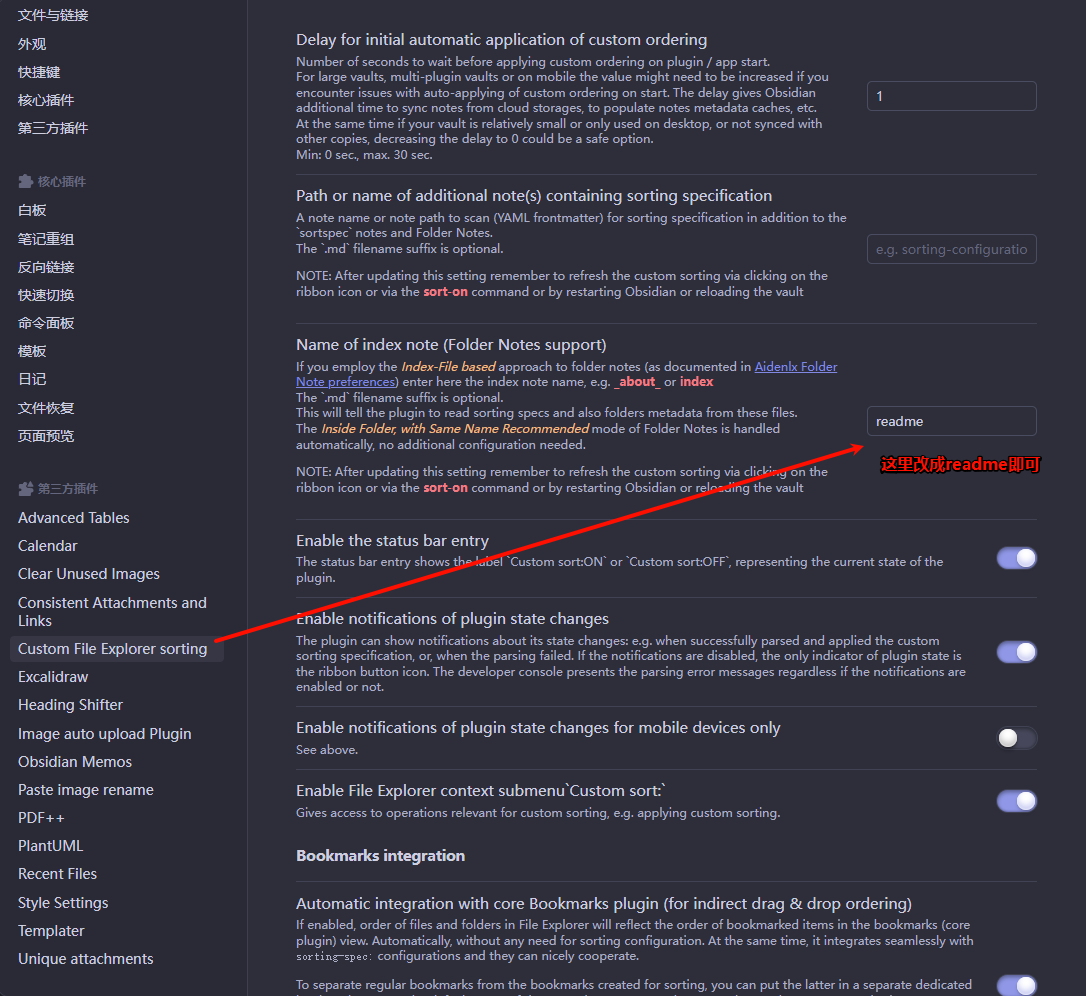
readme.md 元数据如下:
---
home: true
layout: BlogHome
icon: home
title: 博客主页
heroText: 牧歌的技术笔记
bgImage: https://file.mo7.cc/api/public/bz
bgImageDark: https://img-life.oss-cn-beijing.aliyuncs.com/doc/202404281439739.jpg
heroFullScreen: true
tagline: 记录点滴
footer: 牧歌的技术笔记
copyright: copyright © 2022-present <a href="https://beian.miit.gov.cn/" target="_blank">京ICP备2022008914号-1</a>

sorting-spec: |
 target-folder: /*
 template
 Excalidraw
 private
 view
 readme
 < a-z by-metadata: sort

---
这里分为了两部分,上半部分:Vuepress 需要的元数据;下半部分 sorting-spec ,Custom File Explorer sorting 需要的元数据。解释一下 Custom File Explorer sorting 需要的元数据,target-folder 是目标文件夹我这里去了当前文件夹下所有,下面几个文件夹名是这几个文件夹就按照这个顺序展示,最下面 < a-z by-metadata: sort 是通过元数据 sort 字母序排序。即 /* 所有文件按照 sort 自然序排序
使用 Template 自定义函数生成排序 front matter
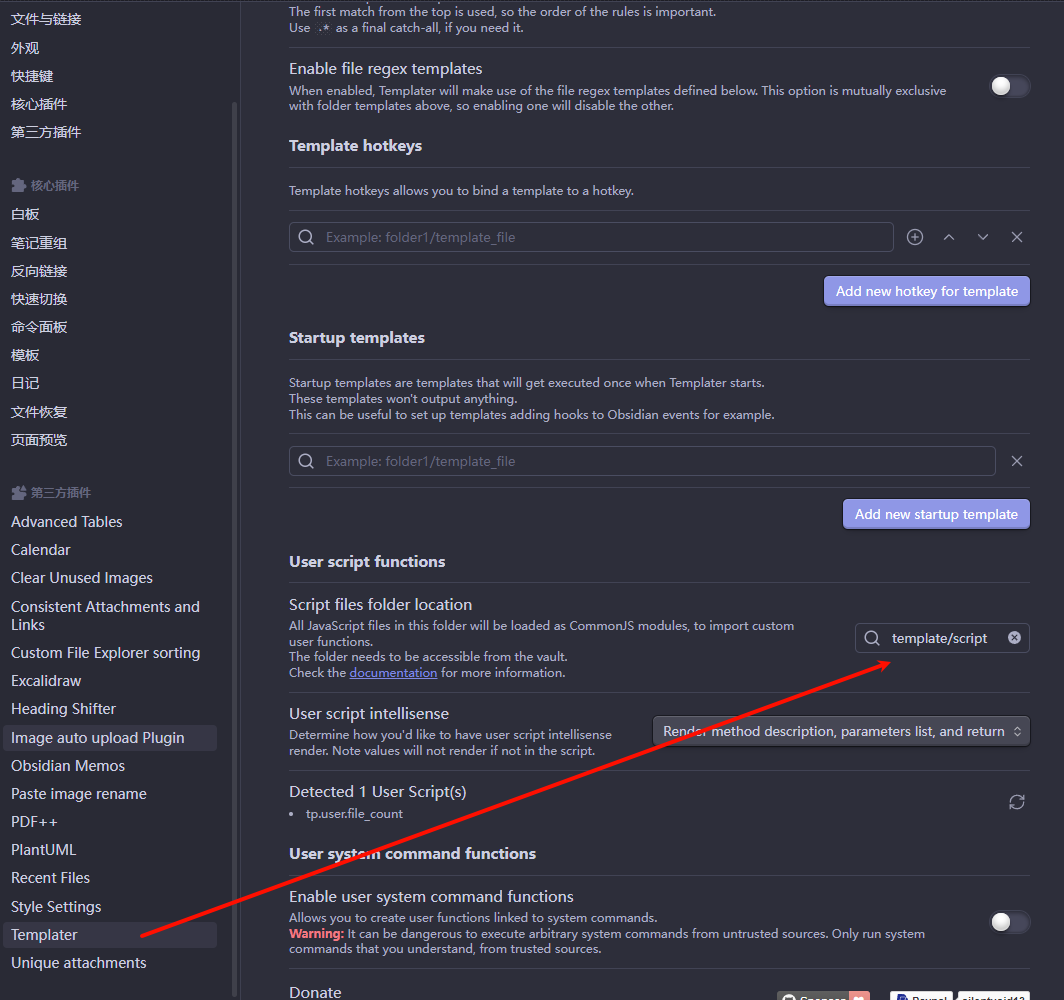
我有一个 Template 的文件夹,在下面创建一个 script 文件夹,在文件夹下创建自定义脚本:file_count.js
function countCurrentFolderFiles(tp, options = {}) {
    const folder = app.vault.getAbstractFileByPath(tp.file.folder(true));
    if (folder && folder.children) {
        const fileCount = folder.children.filter(f => f.extension).length;
        // 当前文件夹文件数量
        return fileCount;
    } else {
        return 1;
    }
}

module.exports = countCurrentFolderFiles;
在 Template 的文件夹,在下面创建一个 temp 文件夹,在文件夹下创建模版:blog.md
---
title: <% tp.file.title %>
category:
tag:
date: <% tp.date.now("YYYY-MM-DD") %>
create_date: <% tp.file.creation_date() %>
sort: <% tp.user.file_count(tp) %>
---

# <% tp.file.title %>
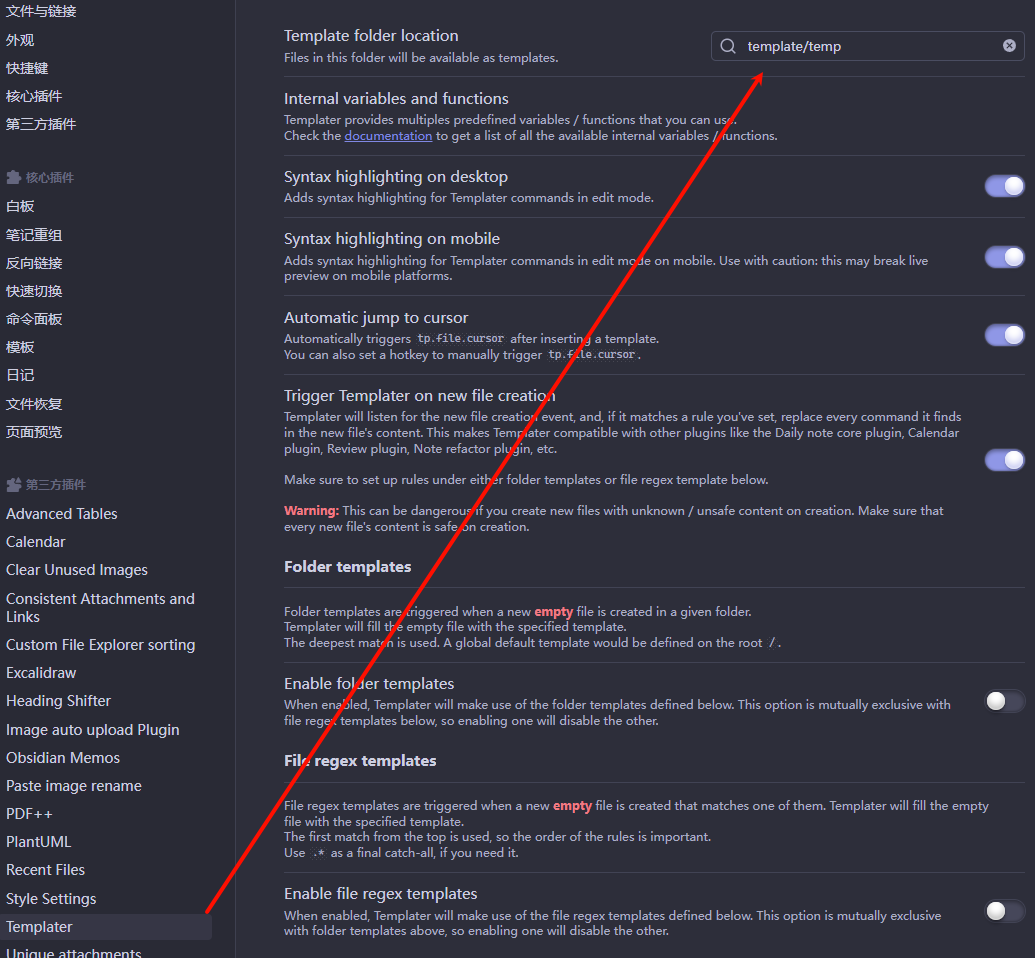
设置 Template 配置
Template folder location :模版路径
Script files intellisense:自定义脚本文件存放位置
修改 Vuepress 自动生成侧边栏脚本,适应 front matter 的 sort 标签排序
我 Vuepress 站点打包时使用 js 读取文件夹和文件拼接成侧边栏对一个格式的对象,在这里加一步排序。读文件时读排序元数据存在拼接在文件名称末尾用 ~ 隔开,在排序时取波浪线后面的内容进行自然排序即可。
// 读取

//  截取MD文档后缀名
file = file.replace('.md', '')

const content = fs.readFileSync(myPath + file + ".md", 'utf8')
let re = /---(.*?)---/sg
let s = re.exec(content)[1]
console.log(`处理 ${myPath + file} 排序`)
let frontMatter = yaml.load(s)
console.log(frontMatter)
if (frontMatter && frontMatter.sort) {
    file = file + "~" + frontMatter.sort
}
// filenameList 为收集文件名的列表
filenameList.push(file)
//  排序
return sortFile(filenameList);
自定义排序方法
/**
 * 自定义排序文件夹
 * @param  filenameList
 * @returns  Array 排序后的文件名列表
 */

function sortFile (filenameList) {
    let sortList = filenameList.map(i => {
        let sort = i
        let name = i
        if (i.indexOf("~") > 0) {
            sort = i.split("~")[i.split("~").length - 1]
            name = i.substring(0, i.indexOf("~"))
        }
        return {sort: sort, name: name}
    })
    sortList.sort((a, b) => {
        if (a.sort < b.sort) {
            return -1;
        }
        if (a.sort > b.sort) {
            return 1;
        }
        return 0;
    })
    return sortList.map(i => i.name)
}
完~